Shopping blocker for iPhone and iPad

Stop impulse buying. Sleep on it first.

On Ice pauses you when you open a shopping app or website. Note what you wanted, wait one night, then decide.

Download on theApp Store

Free to start. No account.
No bank linking.

Three steps. One night.

  1. 1 · Tonight

    You open a shop

    On Ice steps in first, in the app and in Safari, and asks you to pause.

  2. 2 · Still tonight

    You note what you wanted

    Type its name. It waits on your list for 24 hours. Nothing is bought.

  3. 3 · Tomorrow

    You decide

    Let it go and its price joins your estimated savings. Still want it and the shop opens. Either answer is a good one.

Really need to buy something now? The shop opens for 1, 5 or 15 minutes.

The real app, on your iPhone.

The same three steps, as they look in On Ice.

See every step

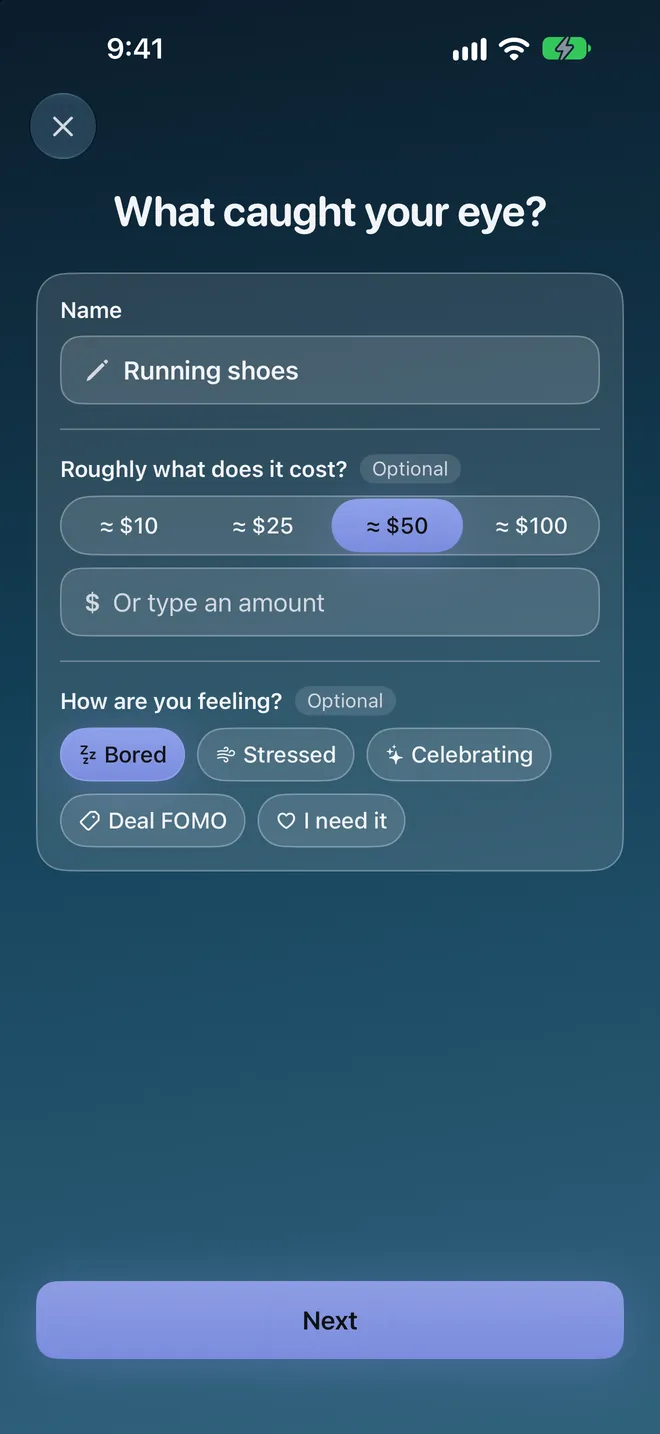
  1. The capture screen: What caught your eye? A name field, rough price chips, and feelings such as Bored and Deal FOMO.

    Note it

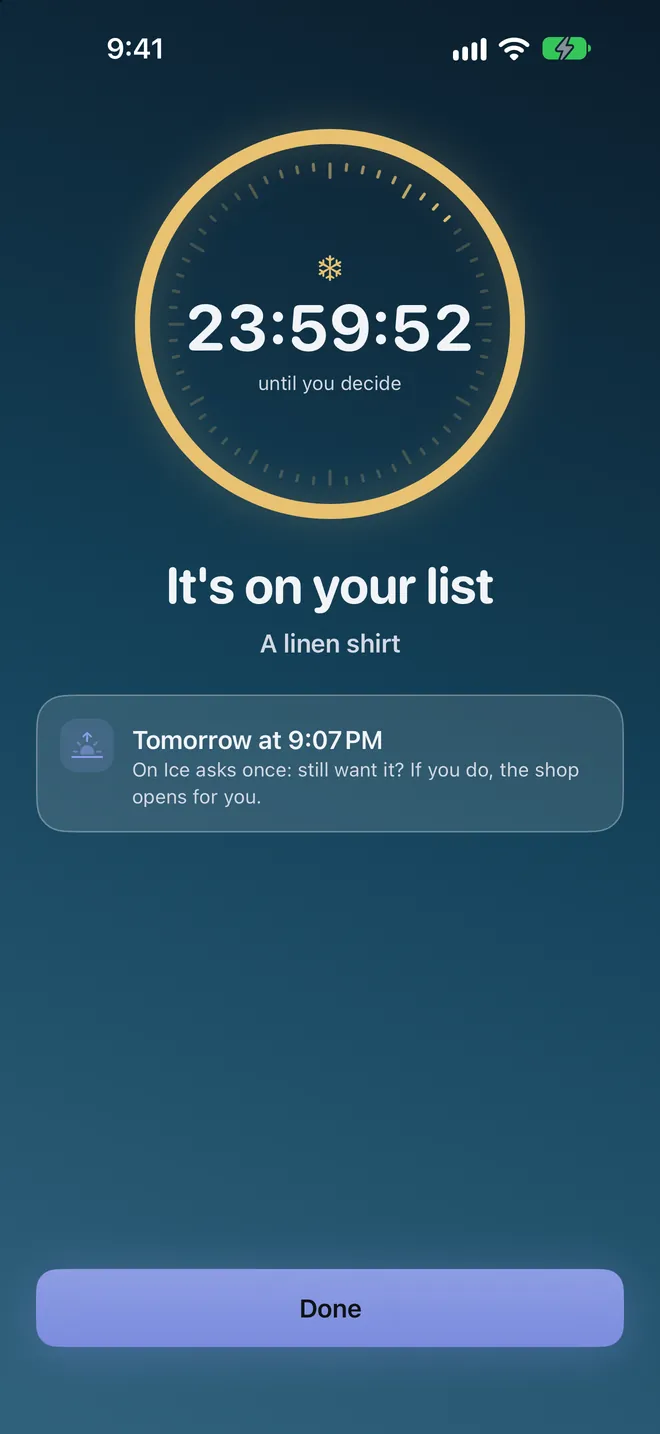
  2. On Ice showing a 24 hour countdown ring over the words: It's on your list. A linen shirt.

    Wait 24 hours

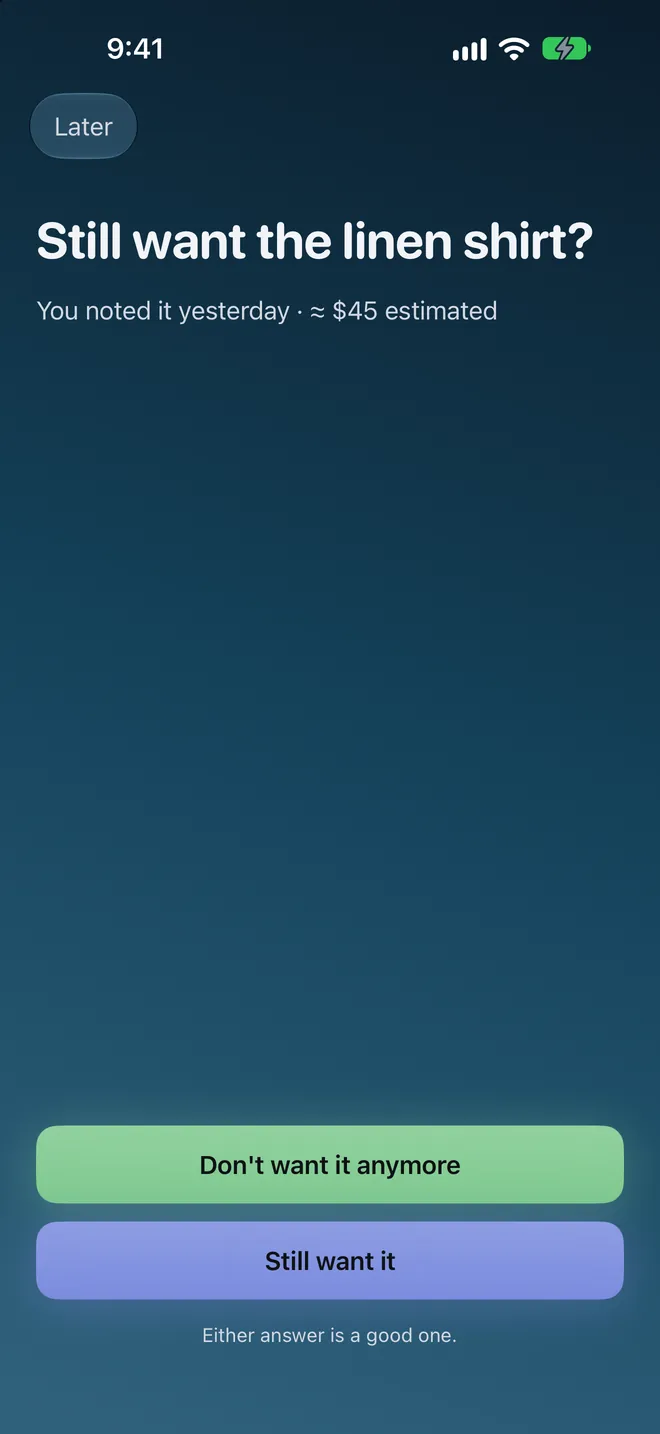
  3. The decision screen: Still want the linen shirt? Buttons: Don't want it anymore, Still want it. Either answer is a good one.

    Decide

Swipe to see all three.

See what you didn't spend.

Every item you let go adds to a running total. It is built from prices you typed yourself, and it always says estimated.

  • No bank linkingOn Ice never connects to an account or reads a transaction.
  • No accountNo sign up, no email field.
  • PrivateYour list stays on your device.

How the privacy works, in full

ON ICE
THINGS YOU DIDN'T BUY
Linen shirt≈ $45
Running shoes≈ $135

LET GO THIS MONTH≈ $180
estimated
Sample figures. Every amount is your own estimate.

Free to start. Premium if you want more.

Free

No charge, no trial clock

  • One shopping app and one website, shielded
  • The 24 hour wait and your list
  • Your estimated savings

Premium

Monthly · Yearly · Lifetime · Family

  • Every shop and website you want
  • Waits of 12, 24, 48 or 72 hours
  • Daily limits, danger hours and strict mode

Nothing you built is taken away if a subscription lapses. Plans and prices

Questions people ask first

Will On Ice lock me out of my shopping apps?

No. An ordinary shield is a pause, not a wall. Tap Note it, say what caught your eye, and I need to shop now opens the shop for 1, 5 or 15 minutes. The only things with no way through are ones you set up yourself, such as a daily limit you have reached, a timed block or a hard rule for one shop. Each of those ends on its own.

Does it block shopping websites, or only apps?

Both. Add a shop's app and its website separately and each is shielded, the website in Safari.

Does it work with Amazon, Temu, Shein and the rest?

You pick the apps in Apple's own Screen Time picker and add websites by address, so it works with whichever shops get you. On Ice never learns the names of the apps you pick. Apple hands it private codes instead.

Does On Ice see what I buy?

No. It has no access to your bank, your orders, your browsing or your card. It records only its own events: that a shield was shown, and what you chose. Those stay on your device.

What happens to the thing I noted?

It waits on your list for 24 hours. Then On Ice asks once: still want it? If you let it go, the price you guessed joins your estimated savings. If you still want it, the shop opens for you. Either answer is a good one.

Is On Ice free?

Yes, and free is a working product, not a demo: one shopping app and one website shielded, the 24 hour wait and your list, your estimated savings, the breathing pause, three things to do instead, the journal, a daily shopping time goal, and timed blocks.

Which devices does it need?

An iPhone or iPad running iOS 17 or newer. There is no account. Each device keeps its own shops, list and history, and nothing syncs between them.

Something else? The full support page covers setup, troubleshooting and how to reach us.

Put your next impulse buy on ice.

Download on theApp Store

iPhone and iPad, iOS 17 or newer.
English and seven other languages.